


Flight Tracker-Live Air Radar
3.3151.00 Reviews
App Specs
- Version
- 3.2
- Updated On
- License
- Free
- Downloads
- 1,000,000+
- Developer
- Kafadengi Bilisim
- Categories
- Travel & Local
- Platform
- Android
Screenshots
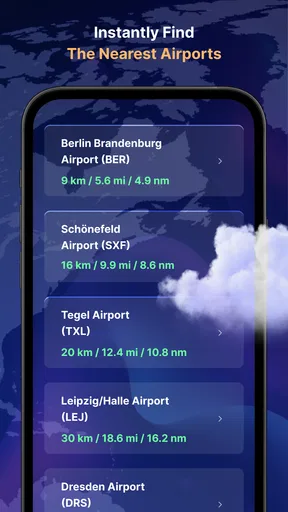
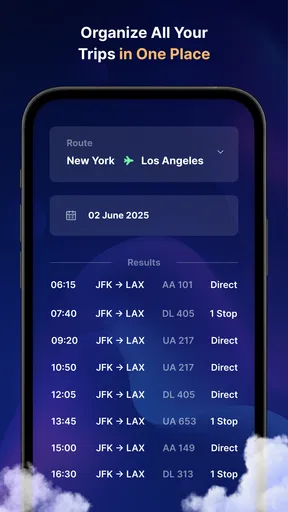
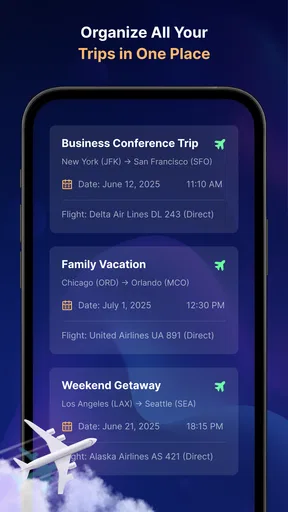
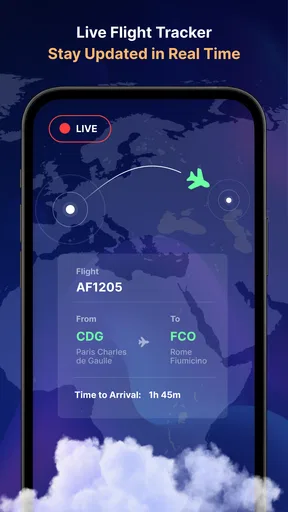
 Analysis by AppCompare
I’d approach Flight Tracker-Live Air Radar as a practical map to explore, not as something I need to master before it can be useful. My first goal would be simple: find one flight I care about, open its details, and use that view to understand what the app can tell me. That makes the first session feel less like wandering around a busy map and more like a quick, reassuring check.
What to expect from the live map
The central appeal is being able to follow aircraft visually instead of relying only on a line of text saying a flight is delayed or approaching. That difference matters when I’m trying to picture where a plane is along its route, or when a traveler’s arrival is close enough that I need to decide when to leave home. The map is also useful for curiosity: a short look can turn an unfamiliar flight overhead into a route I can follow.
I would still treat any flight-tracking app as a helpful reference rather than the final authority for a time-sensitive decision. A map can make a flight’s progress easier to understand, but airport displays and the airline remain the better places to confirm a gate, a changed schedule, or what a passenger should do next. For picking someone up, I’d use the tracker to judge the broad timing, then check the airport’s current information before setting off.
A simple first setup and first success
When opening it for the first time, I’d start by choosing a flight I already know about rather than trying to interpret every icon at once. If I have a flight number from a message or itinerary, searching for that is a direct route to a meaningful result. If I don’t have it, searching with the airline or airport is a reasonable next step, then I can compare the result with the route I’m expecting before relying on it.
Once the flight appears, I’d tap it and pause on the information panel instead of immediately returning to the map. That gives me a useful first check: does the selected plane match the trip I’m following? The route and flight details are more helpful together than either is alone. This small habit can prevent the common mistake of following a similarly routed flight simply because its icon happens to be nearby.
For a family pickup, I’d save the flight to alerts only after confirming that I have the right one. Notifications are most useful when they reduce repeated checking, but they can become noise if I follow several similar flights or set alerts for details I don’t actually need. I’d begin with the one update that would change my plan, then adjust only if the app’s choices suit how I travel.
Where it fits beside other travel tools
Compared with an airline’s own app, a flight tracker is better suited to seeing movement across a map and browsing air traffic beyond one booking. The airline app is usually the more natural place for a passenger’s reservation and travel instructions, while a tracker can be more convenient for someone meeting that passenger or simply watching a route. I wouldn’t replace one with the other; they answer different questions.
Worth Reading Before You Choose

EA SPORTS FC Mobile 26 Is a Bigger Football Game, but It Takes Time

Flipboard Shows What News Apps Must Do Beyond the Feed

Switching to Android Auto Means Rethinking Your Driving Routine

Google Calendar Makes a Crowded Week Easier to Manage

Ludo King Makes the Most of the Minutes Between Plans

Baby Panda World Brings Quick Play to Modern Phones, but Its Game Library Feels Busy
Compared with a general web search, a dedicated map can make the route feel easier to follow at a glance, especially when I’m checking more than one aircraft. The trade-off is that a moving map can invite overconfidence: a clear visual is not the same as a guarantee that a displayed estimate will match the airport’s latest operational plan. For critical changes, I’d cross-check instead of treating the map as a promise.
Who will get the most from it
I can see it working well for people who regularly collect travelers, relatives who want to keep an eye on a loved one’s journey, and aviation fans who enjoy browsing aircraft movement. It is also a useful companion when I’m waiting for a connection or trying to understand whether a plane is still on the way. The free download lowers the barrier to trying it, though in-app purchases are offered, so I’d check what is included before paying for anything.
It is less compelling if I only need a boarding pass, a seat change, or a message from an airline; those tasks belong in the carrier’s app. It may also be a poor fit for someone who dislikes map-based interfaces or wants every airport and schedule detail in one place. The app is rated for Everyone, but that broad age suitability doesn’t change the practical point: a flight tracker is most useful when the person using it knows which trip they mean to follow.
Taking Off: First Impressions
First things first, downloading Flight Tracker-Live Air Radar was a breeze. It’s available for both Android and iOS, so no matter what team you’re on, you’re covered. Once installed, the app welcomes you with a sleek interface that’s both modern and user-friendly. Trust me; even if you’re not a tech wizard, navigating this app is as easy as pie.
The app opens up to a world map, dotted with tiny plane icons. It’s like having a bird’s eye view of the world's air traffic. You can zoom in and out, swipe around, and explore to your heart's content. It’s pretty mesmerizing, honestly. I found myself just staring at it for a while, watching planes move in real-time. It’s a captivating experience, to say the least.
The Nitty-Gritty: Features and Functionality
Now, let’s dive into what makes this app tick. Flight Tracker-Live Air Radar is loaded with features that are not only interesting but also incredibly useful. Here’s a breakdown of what you can do:
- Real-Time Tracking: As the name suggests, you can track flights in real-time. Whether it’s a commercial airline or a private jet, you’ll know exactly where it is and where it’s headed.
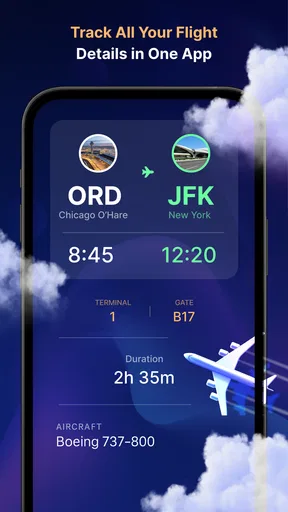
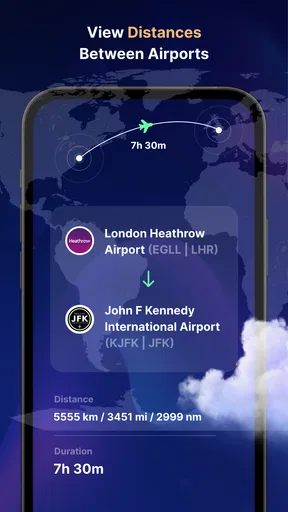
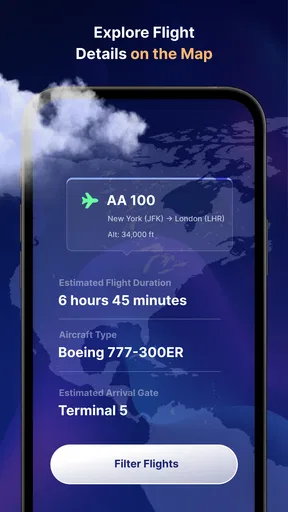
- Detailed Flight Information: Tap on any plane, and you’ll get a treasure trove of information. We're talking about the flight number, airline, departure and arrival times, and even the aircraft’s altitude and speed.
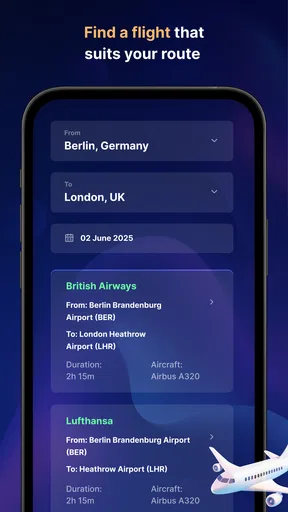
- Search Functionality: Looking for a specific flight? No problem! The app allows you to search by flight number, airline, or even airport. It’s super handy when you’re picking someone up or checking someone’s travel route.
- Custom Alerts: Set up notifications for specific flights. So, if you’re waiting for a loved one to arrive, you’ll get an alert when their plane is about to land.
All these features work seamlessly, ensuring that you have all the information you need right at your fingertips. The app’s performance is snappy, and I didn’t experience any lags or crashes. It’s smooth sailing all the way!
Reading the details without getting lost
A useful way to explore the map is to treat it as a starting point, not a checklist. If I’m watching a particular arrival, I’d locate the plane, tap its icon, and use the flight details to verify the match. Then I’d zoom out enough to see the broader route and zoom back in only when the plane is near the destination. That keeps the map readable and helps me avoid repeatedly tapping nearby aircraft by mistake.
There is a trade-off to all that visible traffic: a busy area can be visually crowded, and a plane icon alone tells me little until I select it. When I’m in a hurry, searching for the flight is more efficient than scanning a cluster manually. When I’m browsing for interest, the map is the better option because it lets me discover traffic I wasn’t specifically looking for.
Why You’ll Love It
So, what makes Flight Tracker-Live Air Radar stand out from the crowd? For one, it’s incredibly detailed. You’re not just getting the basics; you’re getting an in-depth look at global air traffic. Plus, it’s perfect for aviation enthusiasts who want to keep a close eye on flights or travelers who want to stay informed.
The app also has a social aspect to it. You can share flight details with friends and family via social media or messaging apps. It’s a neat feature that keeps everyone in the loop.
Another highlight is the customization options. You can personalize the alerts and notifications to suit your needs, making it a truly tailored experience. Whether you want updates every hour or just a final arrival notification, the app’s got you covered.
Everyday timing, without overchecking
Imagine I’m meeting a friend after work and their flight is due in the evening. Rather than refreshing a search page every few minutes, I can use the flight view to follow the journey and set an alert that matters to my plans. I’d still wait for a message from my friend before driving into a crowded pickup area, because their baggage, walking time, and the airport’s pickup rules are separate from the aircraft’s position. The tracker helps me time the broad window; it cannot tell me when a person is physically ready at the curb.
That distinction is one of the most useful habits for a first-time user. A flight landing is not the same as a passenger being ready to meet, and a map’s apparent progress is not a substitute for a confirmed travel update. I’d use the app to reduce uncertainty, not to make every decision automatically.
Who should try it—and who should pass
Negroni’s app sits in the travel and local category, and its focus is narrow in a useful way: following flights rather than managing an entire trip. It has an average rating of 3.2 from around 5.1 thousand ratings, with about 126 written reviews, so I’d treat user satisfaction as mixed rather than assume it will suit everyone. More than a million installs show that many people have tried it, but popularity alone doesn’t make it the right tool for every traveler.
I’d recommend giving it a try if you often track arrivals, enjoy looking at air traffic, or want a map-based view alongside an airline’s updates. I’d skip it if I only fly occasionally and already get everything I need from the airline, or if I’m expecting a tracker to handle bookings, boarding passes, and airport logistics. The app is free to install, with in-app purchases priced from $2.99 to $29.99 per item, so I’d explore the free experience first and make a purchase only if a specific paid option solves a real need.
Practical details before relying on it
The app was released on February 6, 2023, and its current version is 3.0. It runs on Android 5.0 or later, which makes it accessible to a range of Android devices. Those details matter most when I’m checking whether an older phone can install it; after that, the more important question is whether its map and alerts fit my own routine.
If I’m deciding whether it can replace an airline app, my answer is no: I’d keep the airline’s tool for booking-specific changes and use this one for visual tracking. If I’m wondering whether I need to pay before trying it, the app is free to install, so I can first see whether the basic experience helps me. And if I’m unsure which flight to select, I’d search using the flight number whenever possible, then verify the route and details before setting an alert.
The Final Approach: Wrap-Up Thoughts
In conclusion, Flight Tracker-Live Air Radar is a fantastic tool for anyone interested in air travel. It’s informative, engaging, and just plain fun to use. Whether you’re an aviation buff or just someone who travels a lot, this app is a must-have.
Give it a whirl, and I bet you’ll find yourself getting lost in the fascinating world of aviation. It’s like having your own personal radar system, right in your pocket. So go on, take to the skies—virtually, of course—and explore the airways like never before!
Pros
- Real-time flight updates are highly accurate.
- User-friendly interface for easy navigation.
- Global coverage with detailed flight information.
- Customizable alerts for flight status changes.
- Interactive map with live flight paths.
Cons
- Free version has limited features.
- Occasional ads can be disruptive.
- Requires internet for real-time updates.
- Battery consumption can be high.
- Some features locked behind paywall.
FAQs for Flight Tracker-Live Air Radar
What features does Flight Tracker-Live Air Radar offer?
Flight Tracker-Live Air Radar provides real-time tracking of flights worldwide. Users can access flight schedules, live updates, and detailed flight information including delays and gate changes. The app also features an interactive map that shows flight paths and provides information on airports, airlines, and weather conditions.
Is Flight Tracker-Live Air Radar free to use?
The app offers a free version with basic features like real-time flight tracking and updates. However, to access premium features such as ad-free usage, additional flight details, and enhanced mapping capabilities, users may need to purchase a subscription or make in-app purchases.
How accurate is the flight tracking information provided?
Flight Tracker-Live Air Radar uses reliable sources to provide up-to-date and accurate information. However, there may be occasional discrepancies due to delays in data transmission or changes made by airlines. It’s always a good idea to confirm details with the airline directly, especially for critical travel plans.
Can I track specific flights or airports with this app?
Yes, users can search for specific flights by flight number, airline, or airport. The app allows users to set notifications for specific flights to receive timely updates on their status, making it convenient to monitor flights of interest or keep track of friends and family traveling.
What devices are compatible with Flight Tracker-Live Air Radar?
Flight Tracker-Live Air Radar is compatible with most Android and iOS devices. It requires a stable internet connection for real-time updates. Users should check the app store for compatibility with their specific device model and operating system version to ensure optimal performance.


